
A portal every employee actually uses.
Each employee has their own home for time, leave, pay and people. Requests go straight to their team lead, who approves from the same app, on mobile.
Good morning, Leo
No requests yet.
Team lead, Aditi Rao
Apply for leave or request a punch correction on the phone. The approval arrives here, for Leo’s team lead, in the same app.
- Balances kept as a ledger, so every credit and debit can be traced
- Cancel a request when plans change
- Approved leave is marked on the attendance sheet
Interactive preview with fictional sample data.
Everything an employee needs, without asking HR.
On desktop or phone, Navigator answers the everyday questions: what did I earn, who is that colleague, how do I raise a ticket, which roles are open.
Payslips
Leo Fischer, software engineerPayslips
Every month’s payslip, with the reason for any loss of pay shown on it.
Directory and org chart
Every colleague’s email and where they sit in the organization.
Jobs and referrals
Open roles inside the company, with referrals tracked.
Help desk and learning
Raise help desk tickets and find learning links in one place.
See Employee Navigator in the product.
Time and attendance
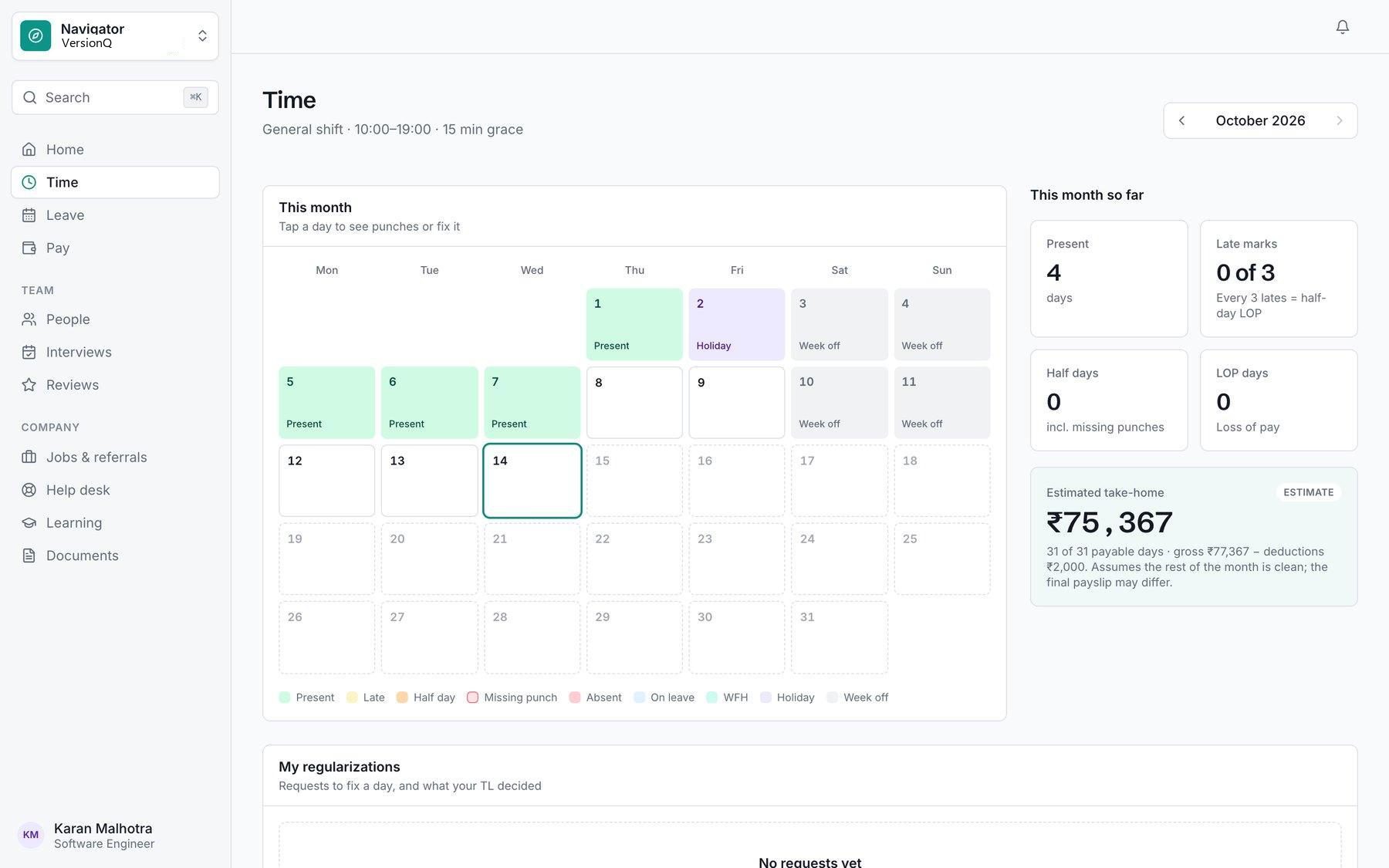
A monthly calendar with punch times, and one-tap correction requests.
On mobile
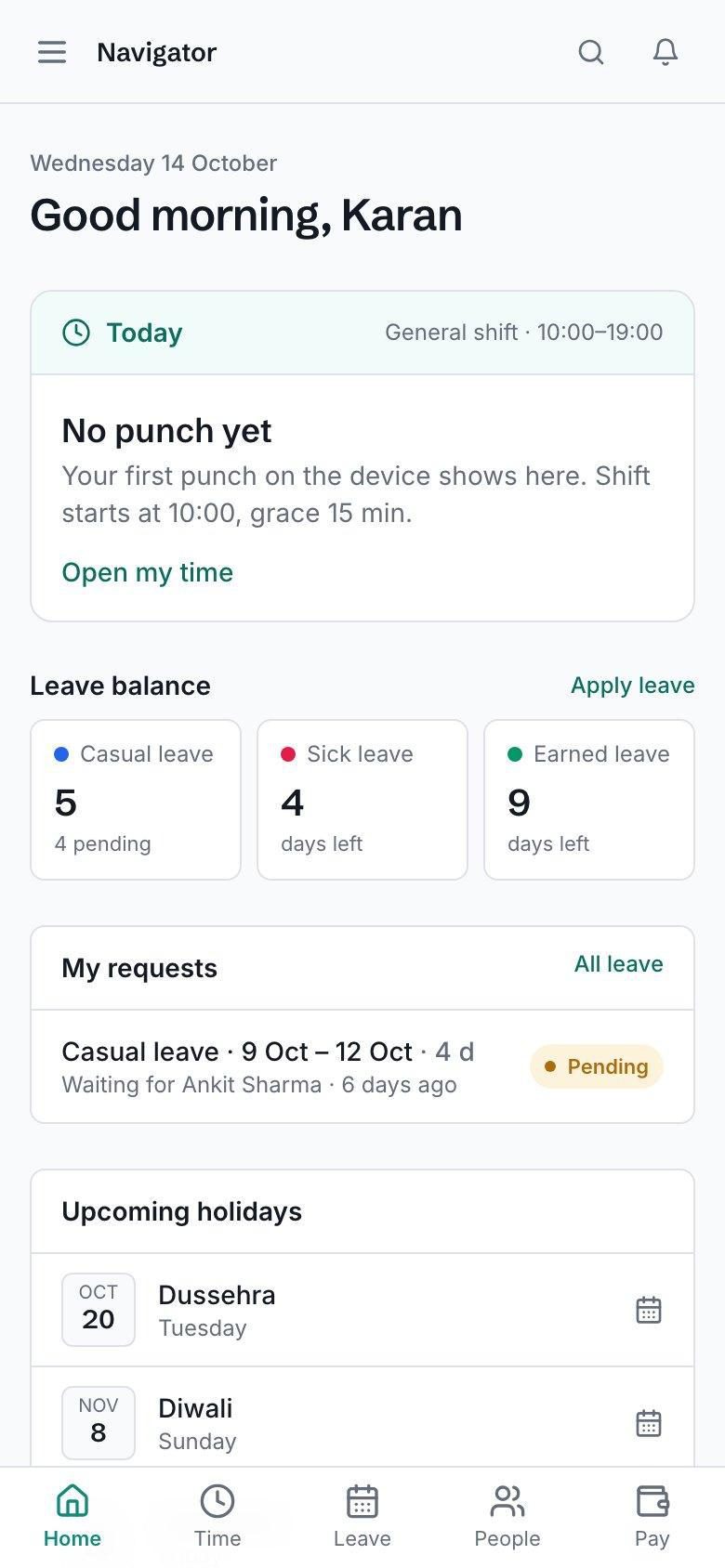
Punch status, leave balances, requests and holidays on the employee’s phone.
Screens from the Xifdesk product. Names, clients and figures are sample data.
Built around the employee’s day.
Navigator is part of HRM, so every punch, request and payslip comes from the same records HR and payroll use.
Home
- Today’s punch-in from the office device, leave balances and the status of every request
- Celebrations and company announcements
Time and leave
- A monthly attendance calendar with actual punch times
- One-tap correction requests for missed punches, approved by the team lead
- Apply for leave with a live preview of days used and the balance after; cancel when plans change
Pay and people
- Payslips for every month
- The company directory with every colleague’s email, and the org chart
- Job openings and referrals, help desk tickets and learning links
For team leads
- Approve your team’s leave and attendance corrections from the same app
- Works on mobile
A leave request, start to finish.
-
Apply
The employee picks a leave type and dates and sees the days used and balance after.
-
Rules applied
Your leave policy applies, including the sandwich rule where you have switched it on.
-
Team lead decides
The request arrives in the team lead’s approvals, on desktop or phone.
-
Balance updated
Approved leave is debited from the balance ledger and marked on the attendance sheet.
-
Payroll knows
Leave and attendance feed the monthly payroll run, with loss of pay explained on the payslip.
Connected to the rest of the company
- HRM Leave types, attendance policy, shifts and approvals are set by HR and apply in Navigator automatically.
- Payroll and Accounts Payslips published from the monthly run appear in every employee’s portal.
- Project Management Delivery teams use the same requests, interviews and policies alongside their projects.
Give every employee their own portal.
A walkthrough shaped around your teams: how sales, client conversations, people, payroll and delivery would work together on Xifdesk.