
No client conversation left waiting.
Xifdesk reads the conversation so far, the lead’s details and your own portfolio, then drafts the next reply for your team to review and send. It works inside the CRM, on every card and every proposal.
Jonah Weller
Fleet tracking app, Kestrel Apps- 9 Oct, 11:20ProfessionalReplied in 38 min
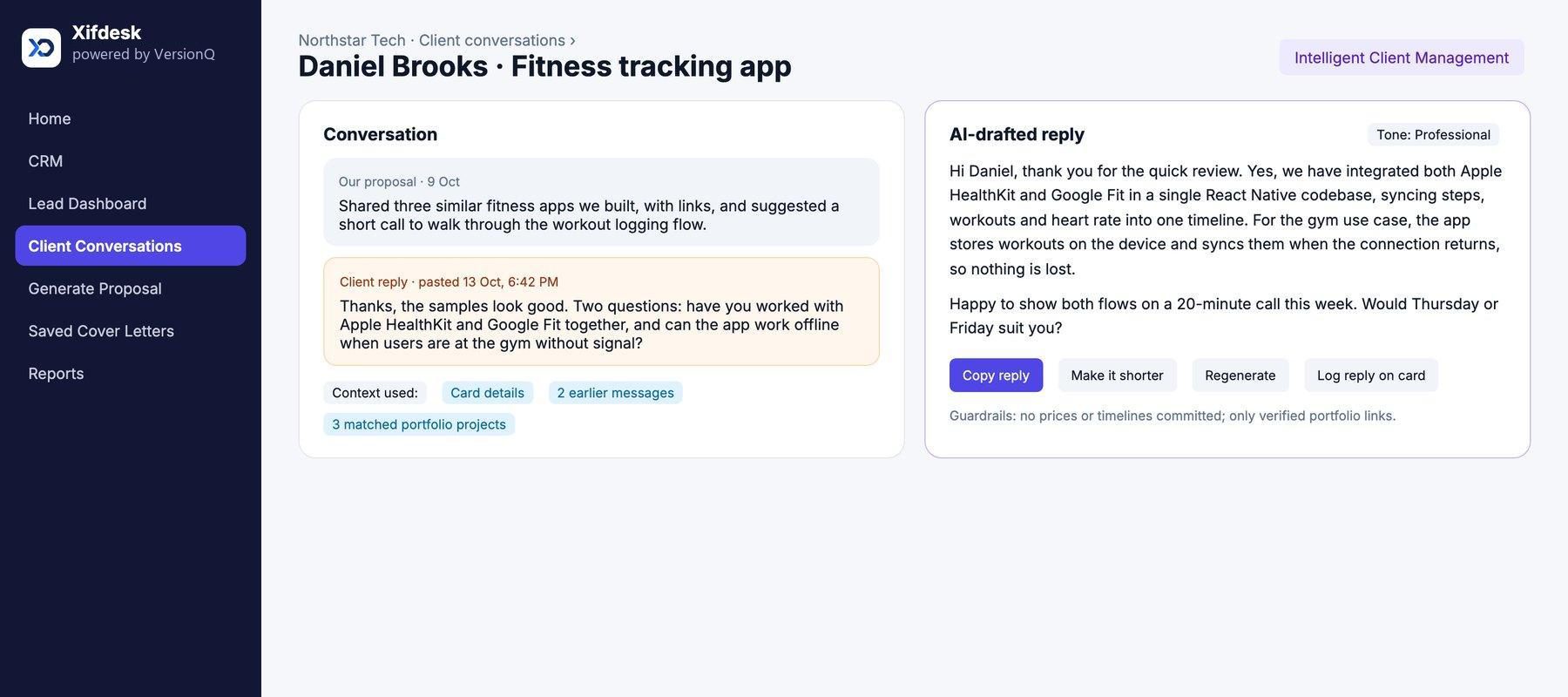
Hi Jonah, thank you for the quick review. Yes, our logistics driver app works fully offline: trips and fuel stops are stored on the device and sync as soon as the connection returns, so nothing is lost on the road.
Our fleet maintenance portal also shows the route history view you mentioned. Happy to walk you through both on a short call this week.
Guardrails: no prices or timelines, no invented numbers, only verified portfolio links. A person reviews and sends every reply.
Interactive preview with fictional sample data.
Most deals are won or lost in the replies after the first proposal.
Every client gets a fast, accurate and consistent answer, whichever team member is handling the lead. Conversation memory keeps each reply following on from the last, and response tracking shows managers how quickly every client hears back.
- Never commits to prices or timelinesCommercial terms stay with your team.
- Never invents numbersFigures come from your records or not at all.
- Only verified portfolio linksPast work is cited from projects you have confirmed.
- A person always sendsEvery reply is reviewed, edited if needed, then sent by your team.
See client intelligence in the product.
Client conversations
The client’s message, the context Xifdesk used and the AI-drafted reply, side by side.
Proposals and client questions
Questions that arrive with a job post are answered alongside the proposal, in the same tone.
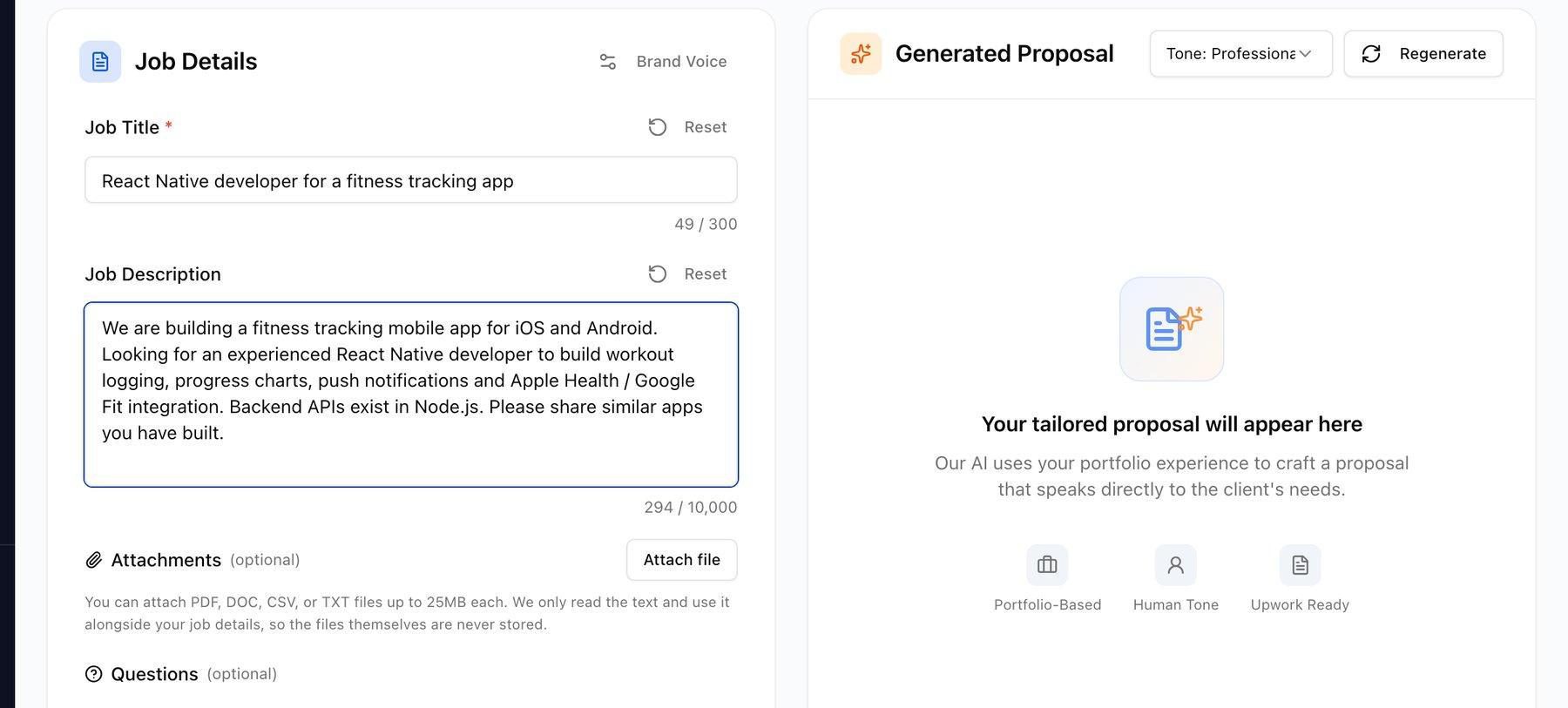
Screens from the Xifdesk product. Names, clients and figures are sample data.
Built into every card, every proposal, every reply.
Intelligent Client Management sits inside the CRM, so the AI always works from the same lead, conversation and portfolio your team sees.
Drafting
- AI-drafted replies: paste the client’s latest message and Xifdesk drafts the next reply, written as a senior engineer would
- Choose the tone, make it shorter, regenerate or edit before sending
- Questions that come with a job post are answered alongside the proposal, in the chosen tone
Context
- Conversation memory: every earlier message, your proposal and the client’s questions are kept, so each reply follows on from the last
- Portfolio-aware answers: when a client asks whether you have done this before, the AI cites relevant past projects with verified links
- Ask AI on any card: a chat panel answers questions about a lead using the card, its comments and attachments, including documents and Loom transcripts
Follow-through
- Each client reply is logged on the card with its date and time
- Managers see response times and follow-ups for every lead
Ask anything about a lead.
Open Ask AI on a board card and question it directly. Answers draw on the card, its comment thread, attached documents and Loom transcripts, and the projects in your portfolio that match.
Choose a question to see the answer. Fictional sample data.
Drivers log trips and fuel stops offline; the office sees a live map and route history.
- Discovery notes.pdf
- Discovery call recording
- Comments from Ravi and Sofia
Whether drivers can keep logging trips without signal, and whether the office can see route history. Asked on 14 Oct, not yet answered.
How a reply is drafted.
-
Paste or ask
A team member pastes the client’s message, or opens Ask AI on the card.
-
Gather context
Xifdesk collects the lead details, conversation history, attachments and best-matching portfolio projects.
-
Draft
The AI drafts the reply in the selected tone. It can be shortened, regenerated or edited.
-
Send and log
The final reply is copied to the client’s channel by a person and logged on the card.
Connected to the rest of the company
Answer every client with confidence.
A walkthrough shaped around your teams: how sales, client conversations, people, payroll and delivery would work together on Xifdesk.