
Control that grows with the company.
As more teams, brands and people join, Xifdesk keeps every action permissioned, every decision with the right approver and every sensitive change on record. Leaders see the whole company; everyone else sees exactly their part.
Six principles behind every screen.
Every action has a permission
View, create, edit, delete, import, export, assign, approve and manage, set per feature for every role.
Roles can be limited to brands
A role can apply to every brand or only the ones you choose, and a person can hold several roles.
Decisions go to the right approver
Leave and attendance corrections share one approvals inbox. Payroll runs, offers, late bids and un-hires each need their approver before they go ahead.
Sensitive changes leave a record
Access changes and other sensitive changes are kept in an audit trail, alongside activity history.
Sensitive details stay masked
Employee bank and PAN details are stored encrypted and shown masked.
One login per person, for as long as they are with you
Created when someone joins, blocked when they leave, with their records kept.
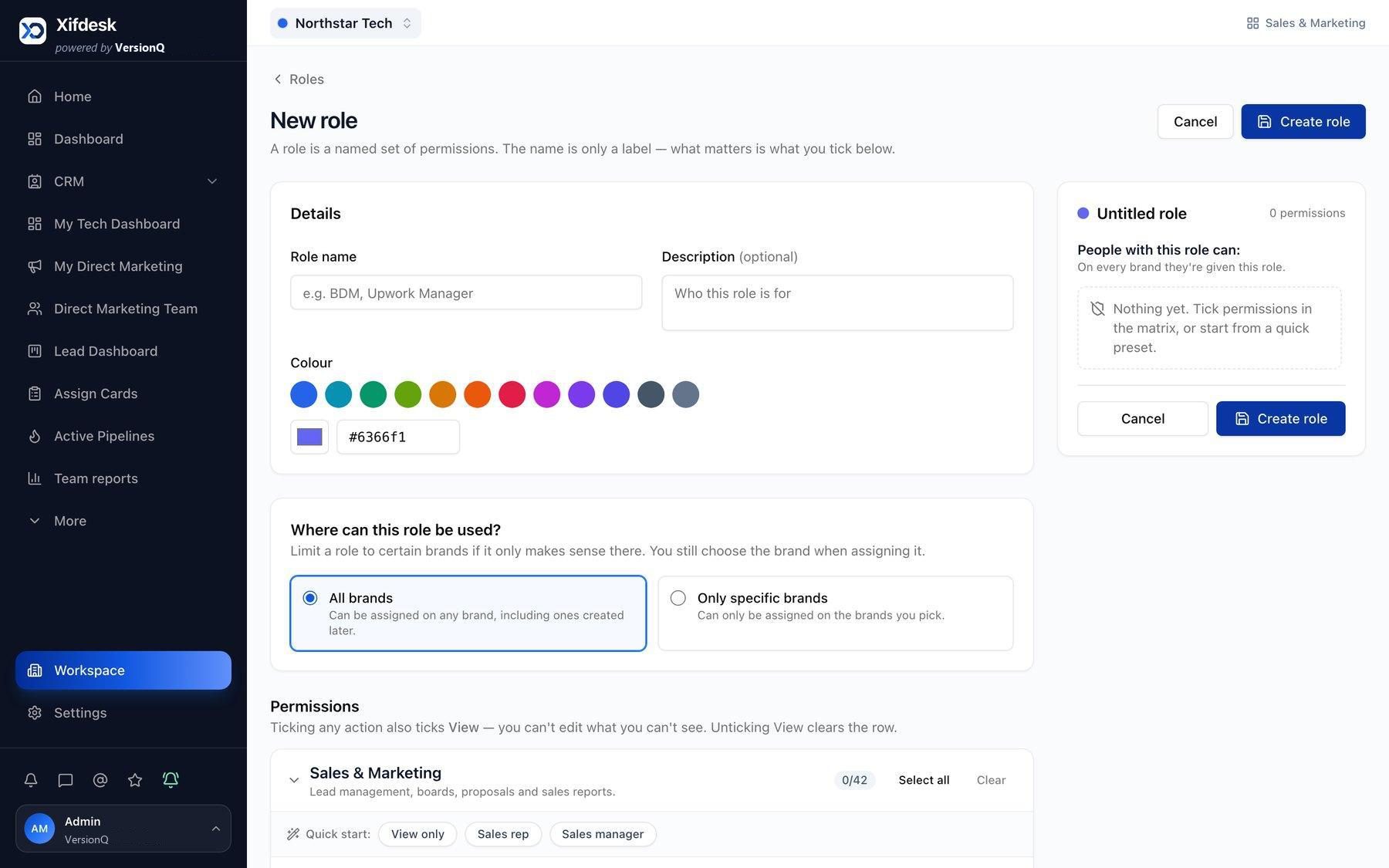
Decide exactly what each role can do.
Roles are built from the permission matrix. Pages and menus appear only for the permissions a person holds, and every access change is recorded.
Ticking any action also ticks View, because you cannot edit what you cannot see. Unticking View clears the row.
Interactive preview with fictional sample data.
Every decision, waiting for the right person.
Leave requests and attendance corrections arrive in one approvals inbox, with bulk approval and notes. Payroll runs and offers wait for director approval, late bids for a manager, and un-hires for a super admin. Each request carries the context needed to decide.
- LF Leo FischerCasual leave, 20 to 23 OctSandwich rule applied, balance 6 to 2LeaveTeam lead
- AR Aditi RaoMissing punch, 9 OctLeft at 19:10 after a client callAttendanceTeam lead
- HO October payrollReady for director approvalChanges over 10% reviewed by HRPayrollDirector
- SB Senior mobile engineerOffer for Nadia PetrovApproved by HR, e-signature nextOfferDirector
- RK Courier dispatch dashboardLate bid requestRequested by Ravi KulkarniLate bidSales manager
- SF Harbor booking portalUn-hire requestContract value will be removedUn-hireSuper admin
A record of what changed, and who changed it.
Role changes, sensitive employee details, payroll decisions and revenue corrections are kept in the audit trail. Sensitive values such as bank account numbers appear masked.
Audit trail
Sensitive changes across the organization- Account number stored encrypted
- Shown as •••• •••• 4821
- Change effective from the October payroll
Try it: filter the log and open an entry. Fictional sample data.
Visibility that matches responsibility.
A director sees decisions waiting, pipeline, payroll and delivery across the company. The head of HR sees people and time. A sales manager sees the brands they were given. Every employee sees their own portal.
Good morning, Marcus
6 decisions are waiting across HR, sales and payroll.
The whole company in one view: decisions waiting, pipeline, payroll and delivery.
One login, from first day to last.
People are managed in one place, so access follows the person through the company.
-
Joins
Staff are imported by CSV or a hired candidate is converted into an employee.
-
Gets a login
A login is created automatically and a set-password email is sent.
-
Gets roles
Roles decide which modules, brands and actions the person can use.
-
Works
Requests, approvals and changes are recorded as they happen.
-
Leaves
The exit workflow closes the notice period and settlement. The login is blocked and the records are kept.
Organizations, administered from above.
- A super admin onboards a new organization in one step, with its first brand, an admin role, the admin user and an emailed sign-in code.
- Each organization gets only the tools chosen for it: Sales and Marketing, the HR Portal, the Employee Navigator and the Accounts Portal.
- Organizations can be suspended or reactivated, and a super admin can view the platform as any organization admin to give support.
- Platform settings cover announcements, defaults for new organizations, brand limits and support contacts.
See how control would work for your organization.
A walkthrough shaped around your teams: how sales, client conversations, people, payroll and delivery would work together on Xifdesk.